

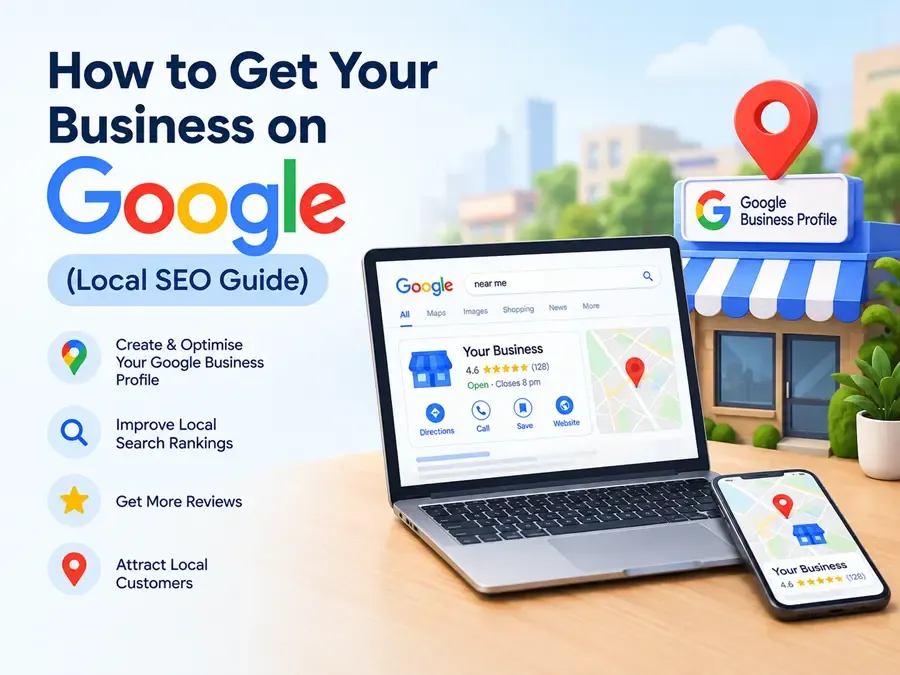
Learn how to get your business on Google with local SEO. Set up your Google Business Profile, collect reviews, and reach nearby customers.
If you are wondering how to get your business on Google, the short answer is this: create and verify a free Google Business Profile, fill in every detail accurately, collect real customer reviews, and make sure your website and online listings match your business information. These steps help your business appear in Google Search and Maps when nearby customers look for what you offer.
Whether you run a shop, clinic, salon, restaurant, or service business in a big city or a smaller town, the process to get your business on Google is the same. Google decides which local businesses to show based on three things: relevance (how well your profile matches the search), distance (how close you are to the searcher), and prominence (how well known and trusted your business looks online). You can't change distance, but you can improve the other two, and the steps below show you how.
How to Get Your Business on Google
Follow these four steps in order, starting with your Google Business Profile.
Claim and Optimize Your Google Business Profile
Your Google Business Profile is the listing that appears in Google Search and Google Maps when someone searches for a business like yours. You may also see it called a Google My Business profile, which was its earlier name. It is free, and it is the most important step to get your business on Google.
Create or claim your listing. Search for your business name on Google first. If a listing already exists, claim it instead of creating a duplicate. If not, create a new one through Google Business Profile.
Verify it. Google needs to confirm your business is real. Depending on your business, verification may happen by video, phone, email, or postcard. Unverified profiles are far less likely to appear, so finish this step.
Fill in every detail. An incomplete profile gives Google less to work with. Cover these fields carefully:
- Business name: Use your real name exactly as it appears on your signboard and website. Adding keywords or locations to the name can get your profile suspended.
- Categories: Choose the most accurate primary category, since it strongly affects which searches you appear for. Then add a few relevant secondary categories.
- Address or service area: If customers visit you, add your address. If you travel to customers, you can hide your address and list the areas you serve.
- Hours: Keep regular and holiday hours updated. Wrong hours frustrate customers and lose trust.
- Phone and website: Use a number you actually answer, and link to your most relevant page.
- Description: Explain what you do, who you serve, and where, in natural language. Don't stuff keywords.
- Services or products: List each one with a short, clear description, and prices where it makes sense.
Add real photos. Upload your logo, the outside of your location, the inside, your team, and samples of your work. Genuine photos build trust, and adding new ones regularly shows the profile is active.
Post updates. Share offers, events, or news now and then. It keeps your profile fresh and gives customers a reason to click.
Treat this as an ongoing task rather than a one-time setup. A quick monthly check of your hours, photos, and information keeps everything accurate.
Keep Your Name, Address, and Phone Number Consistent
Google cross-checks your business details across the web. If your name, address, and phone number (often called NAP) differ from one place to another, Google becomes less sure the information is correct, and customers may get confused too.
Decide on one exact version of your details and use it everywhere: your Google Business Profile, website, social media pages, and business directories. For example, don't write "Shop No. 4" on one site and "Shop 4" on another, or use two different phone numbers.
After your own channels are consistent, list your business in trusted directories relevant to your country and industry. In India, platforms such as Justdial, Sulekha, and IndiaMART can be useful where they suit your business. Also look for duplicate or outdated listings, since those send mixed signals and can send customers to the wrong place.
Get More Google Reviews
Reviews are one of the strongest signals of prominence, so they matter when you want to get your business on Google's top results. A business with plenty of recent, genuine reviews looks more trustworthy to both Google and customers.
Ask at the right moment. The best time is right after a happy customer finishes a purchase or service. Send a direct review link through WhatsApp or SMS, or print a QR code at your counter or on your invoices. The easier it is, the more reviews you get.
Reply to every review. Thank people who leave positive feedback, and respond to negative reviews calmly and professionally. Future customers read your replies, and a polite response to a complaint can build more trust than a perfect rating.
Play by the rules. Never buy fake reviews, write reviews for your own business, or pay customers in exchange for reviews. Google can remove reviews or penalize profiles that break its policies, so check the current guidelines before running any review campaign.
Aim for steady, ongoing reviews rather than a burst followed by silence.
Optimize Your Website for Local Search
You can create a Google Business Profile without a website, but a good local website supports your ranking and gives customers more information. A site that matches your profile makes it easier to get your business on Google and keep it there.
- Use local keywords naturally. Mention your city, area, and services in page titles, headings, and content, in a way that reads naturally.
- Create dedicated pages. Give each major service its own page. If you serve several locations, create a useful page for each rather than one page covering everything.
- Show your details clearly. Put your name, address, and phone number in text on the page, matching your profile exactly, and embed a Google Map.
- Add LocalBusiness schema. This markup helps search engines understand your business details. Many website plugins can add it for you.
- Make it mobile-friendly and fast. Most local searches happen on phones, and slow pages lose visitors.
- Add trust signals. Include customer testimonials, certifications, and real photos.
Why Your Business May Not Be Showing on Google
If you have tried to get your business on Google but it still doesn't appear, check these common causes:
- The profile is not verified
- The primary category doesn't match what you do
- Your name, address, or phone number is inconsistent across the web
- You have few or no reviews
- Your website has thin content or no local information
- There are duplicate listings for your business
- The profile was suspended, often for a keyword-stuffed name or incorrect address
Start with verification and categories, since fixing those often makes the biggest difference. Results take time, so give changes a few weeks to show before judging them.
Conclusion
To get your business on Google, start with a verified and fully completed Google Business Profile, keep your details consistent everywhere, collect genuine reviews, and support it all with a local-friendly website. Once you are live, check your profile's insights every month to see how many people call you, request directions, or visit your website, and update anything that has changed.
If you would rather have an expert handle it, Kib Technologies helps local businesses get found on Google. Book a free local SEO audit, contact us, and we will review your profile and tell you exactly what to fix first.