
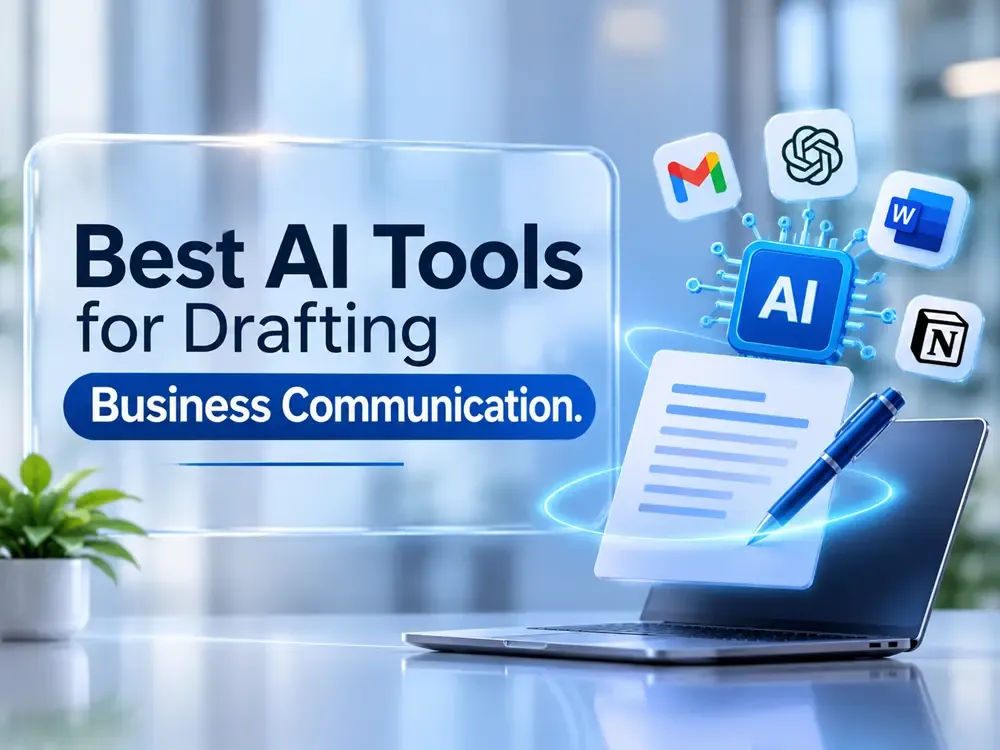
Not sure which AI tool can be used for drafting business communication: emails, meeting follow-ups, and brand content? See 10 tools compared by strengths, limits, and best use.
The fastest way to answer "which AI tool can be used for drafting business communication?" is to stop looking for one winner. Gemini, Copilot, Jasper, Notion AI, Otter.ai, Synthesia, and Sudowrite each draft a different kind of message well. The skill is knowing which one to reach for, and when.
Why business communication now moves like a newsroom
AI has lowered the friction of doing business. A small team can now launch, announce and reply at a speed that once needed a department. Founders' markets have been democratised, and the shortcomings small businesses used to carry are much easier to overcome.
The flip side is competition. Everyone has the same shortcuts, so the advantage goes to whoever communicates first and keeps the standard high. A product update, a client reply, a press note: every company is publishing like a newsroom, and the first voice in the room gets the attention.
That is why the question of which AI tool can draft your business communication matters more than it did a year ago. AI will get the work done. You still decide which tool does which job.
AI literacy is the real advantage
Speed without direction produces noise. Businesses that use AI strategically know two things about every tool: its core strength and its limit. A tool that writes a brilliant campaign headline may be the wrong one for a careful note to a long-standing client.
So instead of one ranked list, here is a working breakdown by job. Each tool below is a fair answer to the same question, for a different kind of business message.
Tools for everyday emails and messages
These are the tools you open when a message needs to go out now.
Gemini
Gemini is Google's AI assistant, developed by Google DeepMind. Google was founded in 1998 by Larry Page and Sergey Brin and is now part of Alphabet. For business writing, Gemini matters most because it sits inside Gmail and the rest of Google Workspace, where a large share of company email already lives.
- Help me write drafts an email from a short prompt or polishes one you have started. Google made it free for all Gmail users in January 2026 and has since extended it to more Workspace accounts.
- AI Overviews condense a long email thread into its key points, so you reply with context instead of scrolling.
- Personalised drafting for business customers can draw on your past emails, chats and Drive files, so a draft carries the right details and your usual style.
- Beyond email, the Gemini assistant can send SMS and WhatsApp messages on mobile and handle calendar invites, tasks and Keep notes.
Best for: day-to-day emails, thread summaries and quick follow-ups for teams on Google Workspace.
Microsoft Copilot
Microsoft 365 Copilot is Microsoft's AI assistant for its office suite. Microsoft was founded in 1975 by Bill Gates and Paul Allen and is based in Redmond, Washington. Copilot is built into Outlook, Word and Teams, and it works from your organisation's own emails, documents, chats and meetings, which is what makes its drafts specific rather than generic.
- Draft with Copilot in Outlook writes an email from a prompt, with tone and length settings, and Coaching gives feedback on a draft you wrote yourself.
- Summarize turns a long thread into key points, and Copilot can create a meeting invitation from inside an email thread.
- In Teams, Copilot recaps meetings, lists action items, and can rewrite a chat message to change its tone or length.
- In Word, it can draft documents and suggest edits using content you point it to.
Best for: companies standardised on Microsoft 365 that want drafting, summaries and recaps inside the apps staff already use.
ChatGPT
ChatGPT is OpenAI's AI assistant, launched in November 2022. OpenAI was founded in December 2015 and is based in San Francisco. It is a general-purpose assistant, which makes it flexible for any message, from a two-line reply to a long proposal, and it has grown steadily more useful for team use.
- Projects keep related chats, files and instructions in one place, and on business plans they can be shared with workspace members so a team stays consistent.
- Connectors let ChatGPT pull context from Gmail, Google Calendar, Outlook, Teams, SharePoint and Google Drive, so it can help draft agendas or follow up on action items.
- Templates and guidelines stored in connected tools can be used as the basis for new briefs and updates.
- Canvas gives you a separate workspace for refining longer drafts.
Best for: flexible first drafts, rewrites and brainstorming across many message types. Watch out for: connector availability depends on your plan, region and admin settings, and it has no built-in sense of your brand voice unless you supply it.
Claude
Claude is the AI assistant made by Anthropic, a company founded in 2021 and based in San Francisco. Like ChatGPT it is a general-purpose assistant, commonly used for long-form writing and for rewriting a draft in a different tone, such as more concise, warmer or more formal.
- Gmail connector lets it search and read emails, draft emails with context, and send, reply or forward, asking for your approval before each of those actions by default.
- Calendar and Drive connectors let it check availability, create events and use your Google Docs as context.
- Live editing of Google Docs, Sheets and Slides in a pane beside the chat (currently in beta), where you and Claude can work in the same file at once.
- Projects and writing styles keep files and context together and let you shape how drafts sound.
Best for: careful, tone-sensitive writing such as proposals, difficult replies and rewrites of rough drafts. Watch out for: Google live editing is in beta with stated limits (it cannot add charts to Google Slides), and on team plans an admin must enable connectors first.
Grammarly
Grammarly is an AI writing assistant that has been helping people write for more than 17 years and is now part of the Superhuman suite, alongside Superhuman Go, Docs and Mail. Instead of starting from a blank page, it works on what you are typing, in more than a million apps and websites, which suits fast-moving business communication.
- Inline suggestions for clarity, concision, tone and grammar appear as you type in email, chat and documents.
- Drafting and rewriting from a prompt, plus one-click rewrites for a different audience or tone.
- Brand tones, style guides and snippets for Business teams, so a whole organisation stays on voice.
- Writing agents, such as a proofreader, paraphraser and AI detector, available through Superhuman Go.
Best for: polishing your own writing and keeping a team's tone consistent. Watch out for: it is stronger as an editor than as a source of facts, and features vary by plan. For Business and Education accounts, Grammarly says AI training on your content is off by default.
Tools for team workspaces and meetings
Much business communication is really the follow-up to a conversation. These tools start from the meeting or the workspace instead of the inbox.
Notion AI
Notion AI is the AI layer inside Notion, the workspace company founded in San Francisco in 2013 by Ivan Zhao, Simon Last and others. The first version shipped in November 2022. Because it lives next to your notes, projects and docs, it is built less for one-off emails and more for turning scattered thoughts into clear plans, updates and task lists.
- Writing help on the page: brainstorm, summarise long pages, fix grammar and translate.
- AI blocks such as AI Summary and AI Action Items update as the page changes.
- Notion Agent works across your workspace using your own permissions, and connectors link apps such as Slack, Google Drive and Jira.
- AI Meeting Notes transcribe system audio without a bot, produce summaries, and let the agent assign action items and help draft follow-ups.
Best for: teams whose projects, notes and wikis already live in Notion. Watch out for: the agent can only see what you can see, you should get everyone's consent before recording a meeting, and Notion's help centre lists AI Meeting Notes as beta with a daily usage limit.
Otter.ai
Otter.ai is a meeting assistant from Otter.ai, Inc. of Mountain View, California, which began in 2016 as AISense. Co-founder and CEO Sam Liang previously led Google's Maps location platform. Its OtterPilot assistant joins Zoom, Google Meet and Microsoft Teams calls, so the written follow-up to a meeting starts from a transcript instead of your memory.
- Live transcripts and summaries, with action items identified and assigned to attendees.
- Otter AI Chat and the Meeting Agent answer questions about what was said, draft follow-up emails or status updates, and can schedule follow-up calls.
- Sales and team workflows on higher plans, including CRM sync with tools such as Salesforce and HubSpot.
- A searchable archive of past conversations that teammates can comment on and highlight.
Best for: meeting-heavy teams, sales calls and anyone who writes recaps. Watch out for: accuracy depends on audio quality, so check names, figures and commitments, tell participants you are recording, and expect advanced features to sit on paid plans.
Tools for brand, video and creative communication
Sometimes the message is a campaign, a training video or a story. These tools are built for that end of business communication.
Jasper
Jasper is a marketing-focused AI platform founded around 2021 in Austin, Texas, by Dave Rogenmoser, Chris Hull and John Phillip Morgan, and it first operated as Conversion.ai. It has since moved from a copy generator toward an agent workspace for marketing teams that need many people to write in one consistent voice.
- Jasper IQ stores your brand voice, style guide, audiences and company knowledge, so every draft reflects your standards.
- Canvas is a shared workspace where teams draft, refine and review content together.
- Agents and pipelines handle steps such as research, drafting, adaptation and optimisation, and the Business plan adds a no-code builder for custom agents.
- AI search visibility tools aim to help brands appear in AI-generated answers.
Best for: marketing teams producing a high volume of on-brand content across channels. Watch out for: it is heavy for a quick internal email, and the more advanced agent features sit on the Business plan.
Synthesia
Synthesia is a London-based AI video company founded in 2017 by Victor Riparbelli, Steffen Tjerrild and AI researchers Lourdes Agapito and Matthias Niessner. When a message works better seen than read, such as onboarding, training or an internal announcement, it turns text into a presenter-led video without cameras or a studio.
- Create from a prompt, script, document, PowerPoint or link, with an assistant drafting the script, scenes and avatar presenter.
- Multilingual output in more than 140 languages, with one-click translation and AI dubbing that keeps the original speaker's voice.
- Personal avatars built from a photo or short video, and brand kits to keep videos on-brand.
- Analytics that show views and how many people watch to the end.
Best for: onboarding, training and internal updates that need to reach many people in several languages. Watch out for: you still write and approve the script, and avatar video suits announcements better than sensitive or personal conversations.
Sudowrite
Sudowrite is an AI writing tool built for fiction. It was co-founded by writers Amit Gupta, who earlier founded Photojojo, and James Yu, who earlier founded Parse, and they began building it in 2020. It appears on a business list for one reason: brand storytelling. When a company needs a founder story, a customer narrative or a vivid scene-setting opener, a fiction tool can add texture that standard business tools do not.
- Muse, a model trained for fiction, powers drafting and expanding.
- Rewrite and Describe rework a passage in modes such as more descriptive or show-don't-tell, and add sensory detail.
- Story Bible keeps characters, settings and facts consistent across a long piece.
- Brainstorm and Canvas help with ideas and visual story planning.
Best for: story-driven brand content such as origin stories and long-form narratives. Watch out for: it is built for novelists rather than business correspondence, its workspace is aimed at individual writers, and it should stay away from contracts, client notices and precise claims.
Speed is only an advantage if the draft is right
Being first matters, but being first and wrong costs more than being second and correct. Whichever tool you pick, run one check before anything goes out:
- Facts. Names, dates, prices and commitments match your records.
- Tone. It sounds like your company, not like a template.
- Audience. The message fits the person reading it.
- Sensitivity. No confidential client or company data was pasted into a tool your policy does not allow.
This takes a minute, and it is what separates AI-assisted communication from AI-generated noise.
So, which AI tool can be used for drafting business communication?
The honest answer is that it depends on the message. Use Gemini or Copilot when your email already lives in Google or Microsoft, ChatGPT or Claude for flexible drafting and rewriting, Grammarly for polish and consistent tone, Notion AI and Otter.ai for meeting follow-ups, Jasper for brand copy, Synthesia for video and Sudowrite for storytelling. Businesses that understand each tool's strengths and limits, and put a human check between the draft and the send button, will communicate faster without lowering the standard.
At Kib Technologies, we are on a mission to transform workplaces with latest digital solutions and marketing practices. For more personalised assistance, contact us today.